


If you work from home, your office is probably one of the dustier rooms in the house, and you may not be sure why.
The why is pretty simple: electronic devices generate static electricity, dense cable setups trap particles, and there’s no nightly cleaning service that commercial buildings often receive. And while dust is often considered just a cosmetic issue, breathing in dusty air for 8 hours every day is bad news for your health.
The good news is that this is a fixable problem. A bit of regular cleaning, changing air filters, and using a home air purifier can easily resolve your dusty home office space.
Why Home Offices Accumulate Dust Faster Than Other Rooms
Household dust comes from many sources around the home, and several of them are present in a home office setup. To name a few:
Electronics generate static electricity
Monitors, keyboards, routers, external hard drives, and charging adapters all carry a static charge that attracts airborne particles. The more electronics on your desk, the larger the effective dust-collection surface. This is why your monitor bezel and keyboard can look surprisingly grimy even a few days after cleaning.
Poor air circulation
Home offices are often converted spare rooms or corners of bedrooms with limited dedicated airflow, be it from windows, ceiling fans, or HVAC vents. Stagnant air allows particles to settle faster than they would in a well-ventilated space.
Paper generates micro-fibers continuously
This may sound strange, but every printed document, notebook, and book on a shelf sheds cellulose fibers that become airborne and eventually settle on surfaces. Whenever paper is torn, cut, shredded, or rubbed, it sheds tiny broken wood pulp fibers and chalky additives that contribute to dust.
No professional cleaning
Commercial offices typically receive nightly cleaning. Home offices get cleaned whenever you get around to it, which for most people is not often enough. Fortunately, your home is often safer than an office building, 30% of which have been linked to various building-related illnesses.
How to Dust a Home Office Properly
Oftentimes, when people dust, they just move the dust around, rather than actually removing it from the environment. This is especially true in home offices, where you quickly brush dust off your desk to resume working.
But if you take a little bit more time, your home office will be cleaner, healthier, and likely, more productive:
-
Work top to bottom, always. Dust shelves, ceiling fans, and high surfaces before your desk, and your desk before the floor. Displaced particles fall downward. Vacuuming last captures what has settled.
-
Use a damp microfiber cloth, not a feather duster. Feather dusters launch particles into the air. A slightly damp microfiber cloth traps them. For electronic surfaces where moisture is a concern, a dry anti-static microfiber cloth works better.
-
Wipe cable bundles and power strips. Dust accumulates heavily in cable tangles and around power strips. This is also a minor fire risk when particulate buildup is heavy enough. A quick wipe with a dry cloth monthly makes a noticeable difference.
This should only take you 10 minutes or so each week, and if you have pets or allergies, do this at least twice per week.
Managing Dust on Home Office Electronics
-
Keyboards collect debris between keys that a cloth cannot reach. Turn the keyboard upside down and tap gently, then use compressed air between keys. Follow with a wipe of the outer surfaces using a dry microfiber cloth. Do this once per week.
-
Monitor bezels and back panels collect dust via static and hold it. Wipe with a dry anti-static cloth. Avoid any liquid cleaners near ventilation openings. The screen surface itself should be cleaned with a dry or barely damp microfiber cloth, not paper towels, which can scratch anti-glare coatings.
-
Computer towers and laptop vents are susceptible to dust blockage in vents, causing overheating, which reduces performance and shortens hardware lifespan. Use short blasts of compressed air every 2-3 months, ideally outdoors or near an open window to avoid redistributing particles into the room.
-
Use cable sleeves or clips to reduce clutter and surface area, which will make it much easier to clean.
-
Remove items you do not use daily. Every object on your desk is a surface for dust to settle on. Store them in closed containers or remove them from the desk entirely.
Other Home Office Cleaning Tips
Some people have entire rooms dedicated to their home office, others have kitchen tables. In either case, if you want the cleanest home office, you need to take dedicated steps to keeping it clean.
Remove shoes before entering the office space and keep a doormat at the threshold to significantly reduce the amount of particulate tracked in from other rooms and from outside.
Vacuum the floor weekly. If the floor is carpeted, use a vacuum with a sealed HEPA filter to capture rather than redistribute particles. Hard floors are significantly easier to keep clean and accumulate less dust overall.
Reduce paper clutter. Every sheet of paper sheds fibers. Digitize documents where practical and store physical paperwork in closed binders or boxes rather than open stacks.
Wash soft furnishings regularly. If your office chair has upholstered fabric, it is trapping dust, skin cells, and pet dander continuously. Vacuum the chair weekly and wipe down armrests with a damp cloth.
Change HVAC filters on schedule. The supply vent in your office is the primary dust input from the rest of the house. A MERV 11 or higher filter in your HVAC system makes a measurable difference in how much dust circulates throughout the system and through that vent.
The Air Quality Dimension of a Dusty Home Office
Visible surface dust is only part of the problem. Fine particles smaller than 2.5 microns (PM2.5) stay suspended in the air for hours before settling and are too small to see. You’ll sit, stand, or walk (on a treadmill) in your home office for 8+ hours each day, and unfortunately, this means a third of your day is spent inhaling dust, VOCs off-gassing from electronics and furniture, and allergens cycling through the room with every HVAC cycle.
If you clean your office regularly with the steps above, you will significantly reduce the potential health impacts of dust on your body.
The addition of an air purifier to your office space can destroy fine particulates and VOCs, which are linked to reduced cognitive performance, headaches, and respiratory irritation during working hours.
Unlike cleaning, which is periodic, filtration is ongoing, catching particles before they settle on surfaces or enter your airways. For a home office, a unit sized appropriately for the room and capable of filtering both fine particles and VOCs will cover the most common household air pollutants.
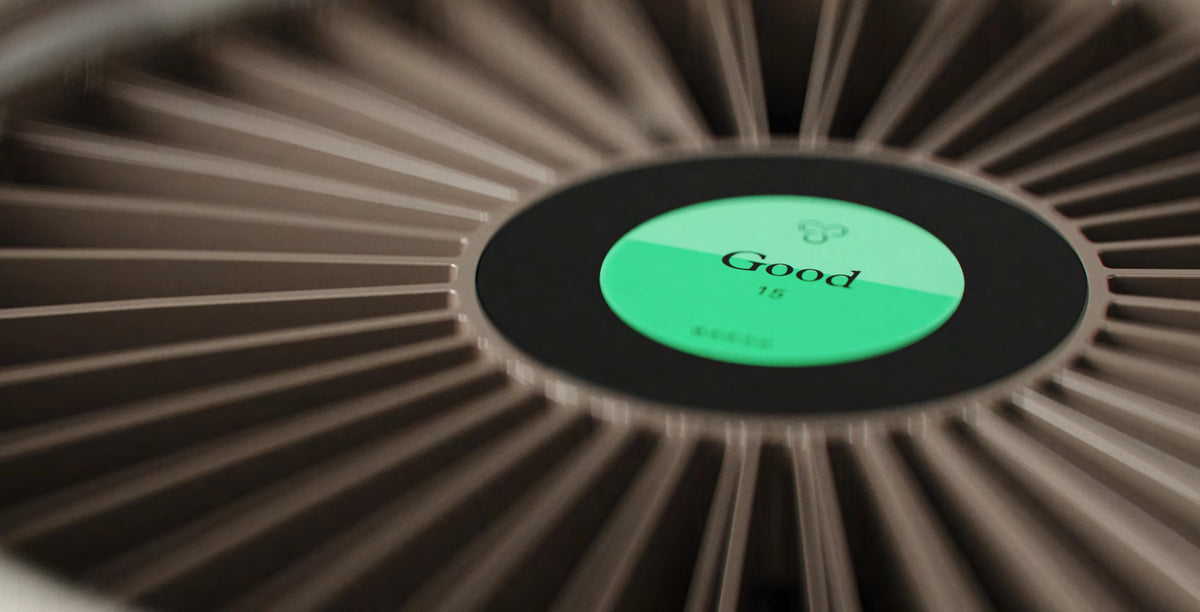
Molekule's Air Mini+ is designed for spaces up to 250 square feet, which covers most home office setups. Our PECO-HEPA Tri-Power filter destroys airborne particles, VOCs, and allergens rather than simply capturing them. It is FDA-cleared as a Class II medical device, is FSA/HSA eligible, and is designed for personal spaces such as bedrooms and home offices. Running it continuously during work hours provides ongoing filtration for the particulate that surface cleaning cannot reach.
Frequently Asked Questions
Why does my home office get so dusty so quickly?
Home offices accumulate dust fast because electronics generate static that attracts particles, and low foot traffic means less air circulation to disperse them.
How often should I dust my home office?
Dust your home office weekly, because electronics and desks attract particles faster than other rooms, and buildup affects both air quality and equipment.
Can dust damage my computer equipment?
Yes, dust clogs fans and vents, causing components to overheat, which shortens hardware lifespan and can cause sudden failures.
Does an air purifier help with home office dust?
Yes, an air purifier running continuously captures fine particles before they settle, reducing dust buildup on surfaces and equipment.
What is the best way to dust electronics without damaging them?
Use compressed air for vents and keyboards, a microfiber cloth for screens and surfaces. Avoid paper towels and household sprays entirely.
Is the dust in my home office affecting my health?
Dust in home offices contains allergens, VOCs, and fine particles that worsen allergies, trigger headaches, and reduce air quality over a workday.


